


Complete Guide to Choosing the Best CRM for Small Businesses in 2025
In today’s fast-paced business environment, managing customer relationships effectively is more crucial than ever, especially for small businesses. A Customer Relationship Management (CRM) system is an invaluable tool that allows small enterprises to streamline their processes, enhance customer interaction, and ultimately drive sales. However, with an array of options available in 2025, selecting the right CRM can be challenging. This comprehensive guide will help you make an informed choice, ensuring that your small business thrives.
Why Do Small Businesses Need a CRM?
Understanding CRM Systems
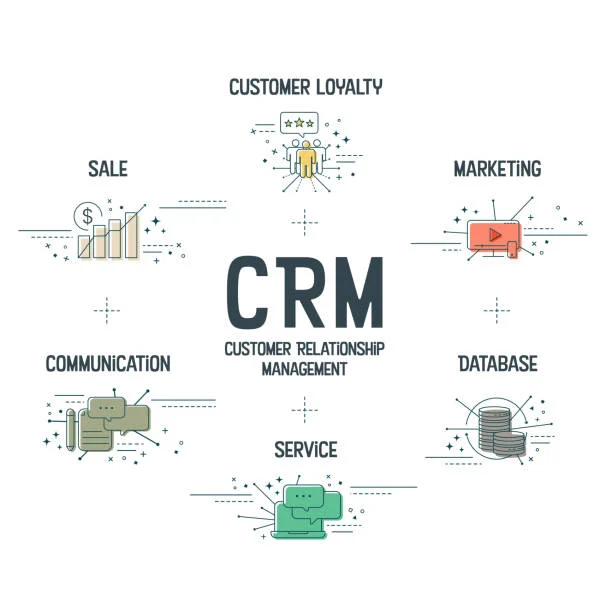
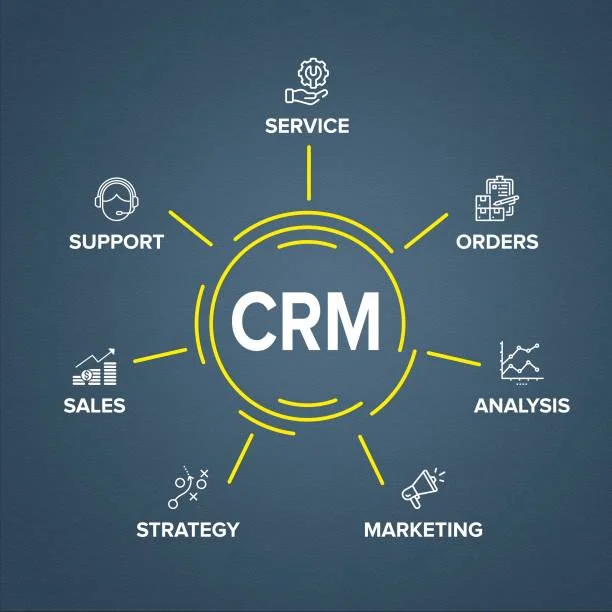
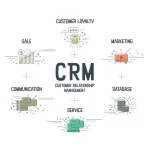
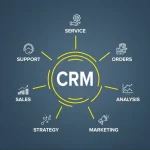
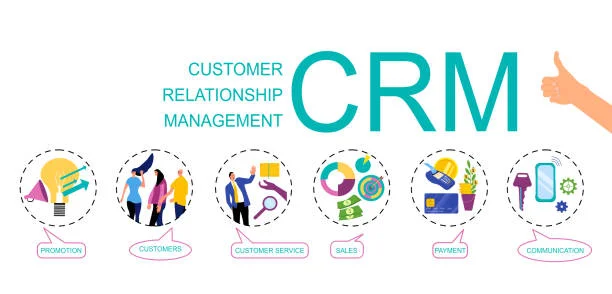
A CRM system helps manage customer interactions throughout the sales funnel, thus improving relationships and increasing customer retention. It serves a dual purpose – storing customer information for easy access and providing analytical tools that enable better decision-making.
Benefits of Using a CRM in Small Businesses
- Improved Customer Relationships: By organizing customer data, CRMs help you personalize interactions, leading to stronger relationships.
- Increased Efficiency: Automation of routine processes frees up time for your team to focus on strategic tasks.
- Sales Tracking: CRMs provide insights into customer behavior, enabling effective targeting and improved sales strategies.
- Data-Driven Decision Making: Access to analytics tools helps monitor performance and adjust strategies accordingly.
- Enhanced Communication: CRMs facilitate seamless communication between teams and clients, improving overall responsiveness.
Key Features to Look for in a CRM
Choosing the right CRM requires understanding the essential features that support the unique needs of small businesses. Below are critical functionalities to consider:
1. User-Friendly Interface
Opt for a CRM that offers an intuitive and easy-to-navigate interface. Complexity can deter your team from fully adopting the system.
2. Customization Options
Every business is unique, and your CRM should be able to adapt to your processes. Look for platforms that allow you to customize dashboards, workflows, and reports.
3. Integration Capabilities
A good CRM should integrate seamlessly with other tools your business uses, such as email marketing platforms, accounting software, and project management systems.
4. Automation Features
Maximize efficiency through automation. Look for a CRM that automates tasks like email follow-ups, lead scoring, and reporting.
5. Mobility
In an era of remote work, a mobile-friendly CRM is essential. Ensure your CRM offers a mobile application, enabling access to customer data on the go.
6. Customer Support
Reliable customer support is critical. Choose a CRM that provides multiple channels for assistance, such as live chat, phone support, and comprehensive documentation.
Steps to Choosing the Right CRM for Your Small Business
Step 1: Assess Your Needs
Before diving into the world of CRM, take time to evaluate what your business needs. Consider factors such as:
- Your current customer management challenges
- The size of your customer base
- Specific features that would benefit your team
Step 2: Set a Budget
CRMs come in various price ranges. Decide on a budget that accommodates your financial capabilities while considering the potential ROI a CRM can deliver.
Step 3: Research and Compare Options
Gather a list of CRMs that fit your requirements and budget. Resources such as user reviews, comparison charts, and expert analysis can provide valuable insights.
Step 4: Test the CRM
Most CRM providers offer free trials. Take advantage of these to assess the functionality, ease of use, and overall fit with your business operations.
Step 5: Train Your Team
Once you’ve selected a CRM, invest time in training your staff. A well-trained team will maximize the CRM’s potential and ensure everyone is on the same page.
Top CRM Options for Small Businesses in 2025
Several CRM systems stand out in 2025 for their features and usability, particularly for small businesses. Below are some of the best options:
1. Salesforce
Overview: Salesforce is widely regarded as a leading CRM, known for its comprehensive features tailored for businesses of all sizes.
Key Features:
- Extensive customization options
- Advanced analytics and reporting tools
- Robust automation capabilities
Best For: Businesses focusing on scalability and those needing an extensive feature set.
2. HubSpot CRM
Overview: HubSpot offers a user-friendly CRM that is free to start, making it an attractive option for small businesses.
Key Features:
- Easy-to-use interface
- Excellent integrations with other HubSpot tools
- Comprehensive customer support resources
Best For: Smaller businesses or startups looking for an effective and cost-efficient solution.
3. Zoho CRM
Overview: Zoho CRM is recognized for its affordability and range of features ideal for small businesses.
Key Features:
- Customizable dashboards
- Social media integration
- AI features for lead scoring
Best For: Companies seeking a balance between pricing and functionalities.
4. Pipedrive
Overview: Pipedrive focuses on sales management, helping teams track leads and deals effectively.
Key Features:
- Visual sales pipeline
- Activity reminders and follow-up tasks
- Custom reporting options
Best For: Sales-centric organizations that require a simplified experience.
5. Freshsales
Overview: Freshsales is part of the Freshworks suite, providing a CRM with solid features for small businesses.
Key Features:
- Built-in email, phone, and chat capabilities
- AI-driven insights
- User-friendly interface
Best For: Businesses looking for an all-in-one solution with strong sales features.
FAQs About CRM Selection
Q1: What is the average cost of a CRM?
The cost of CRM systems can vary widely, with options ranging from free to several hundred dollars per month, depending on features and user limits.
Q2: How long does it take to implement a CRM?
Implementation can take anywhere from a few days to several weeks, depending on the complexity of the system and the organization’s size.
Q3: Can a CRM integrate with my existing tools?
Most modern CRMs offer integration with widely used business tools. Check the specific CRM’s website for a list of compatible integrations.
Q4: Is training necessary for using a CRM?
While many CRMs are intuitive, training can significantly enhance user adoption and enable your team to leverage all features effectively.
Conclusion
Choosing the right CRM for your small business in 2025 can yield significant benefits in managing customer relationships and driving sales. By understanding your needs, assessing key features, and exploring available options, you can find a system that enhances your operations and fosters growth.
Investing time in selecting and properly implementing a CRM will streamline your processes and empower your team, providing an immediate return on your investment. Now is the ideal time to embrace technology and take your business to the next level.
Written by Domingo Hernández